
Last Updated on October 5, 2026 by Nurul
Students don’t need dozens of productivity apps. They need the right tools for the right jobs. The best apps for students 2026 aren’t necessarily the apps with the most features—they’re the tools that solve specific learning, productivity, and organization problems without creating more digital clutter.
In 2026, the best student apps can do far more than store notes or create to-do lists. AI can help explain difficult concepts, research tools can organize course material, spaced-repetition apps can strengthen memory, and focus tools can help students actually sit down and study.
But there is a problem: installing ten or twenty best study apps can quickly create another productivity problem. You spend more time managing apps than learning.
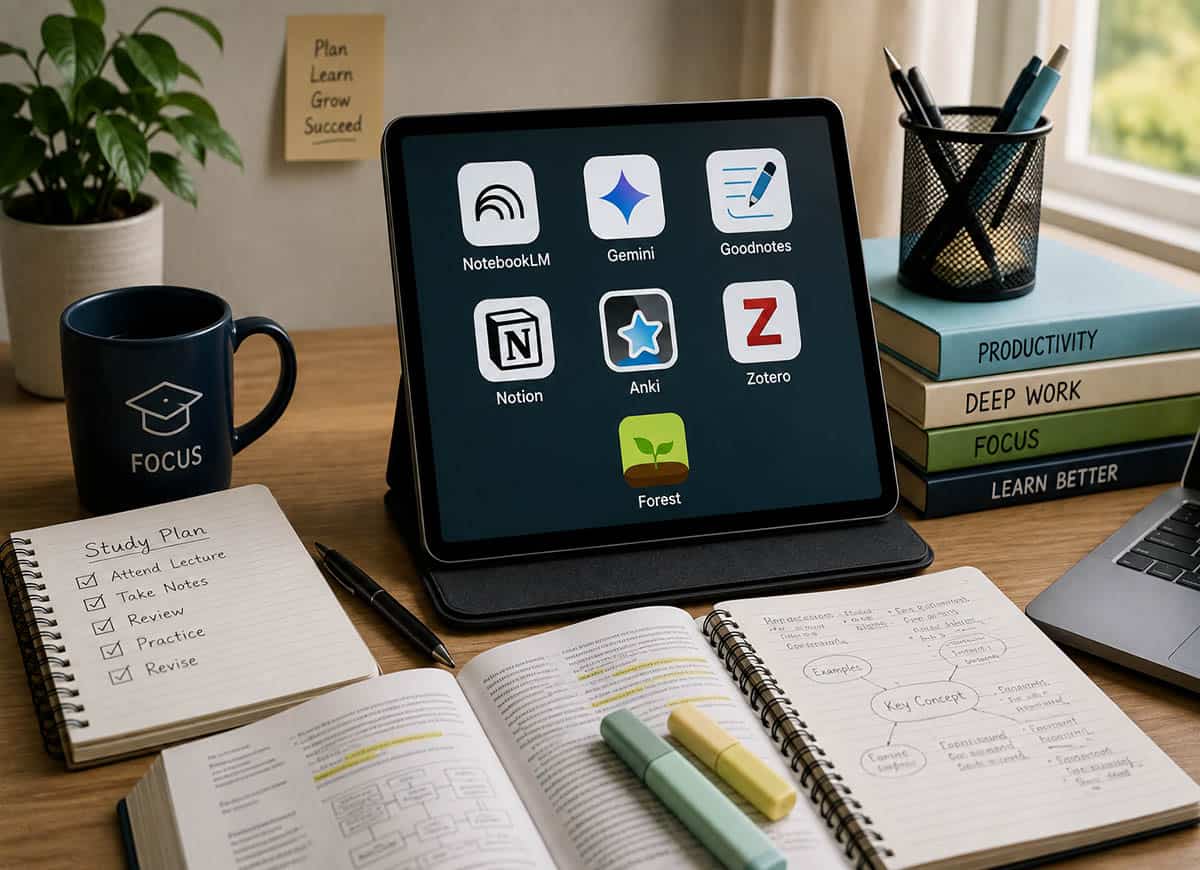
That’s why this guide takes a different approach. Instead of a huge list, we’ve built a practical 2026 student app stack around seven specific jobs, each with one clear responsibility:
- Research & course materials: Gemini Notebook
- AI learning assistant: Gemini
- Digital notes: Goodnotes
- Organization: Notion
- Memory & revision: Anki
- Academic research: Zotero
- Focus: Forest
Quick List: 7 best apps for students 2026
| App | Best For | Free? | Best Use |
| Gemini Notebook | Research & course material | Yes | PDFs, sources, study material |
| Gemini | AI learning assistant | Yes | Explanations, quizzes, brainstorming |
| Goodnotes | Digital note-taking | Limited | Handwritten notes & PDFs |
| Notion | Organization | Yes | Tasks, courses & planning |
| Anki | Memorization | Yes* | Flashcards & spaced repetition |
| Zotero | Academic research | Yes | Papers & citations |
| Forest | Focus | Yes | Distraction-free study |
* Anki desktop and AnkiWeb sync are free. iOS app is paid; AnkiDroid (Android) is free. Always check current pricing for AI services.
1. Gemini Notebook – Best AI Research Tool for Students
Best for: Course materials, research, PDFs, source-based studying
If you’ve heard of NotebookLM, there’s an important 2026 update: Google renamed it to Gemini Notebook in July 2026. It remains the same standalone research product while becoming more integrated with the Gemini ecosystem.
Instead of asking an AI to answer questions from general internet knowledge, you can build a workspace around your own source material. A student could add:
- Lecture PDFs and class notes
- Research papers and course documents
- Web sources, YouTube material, study guides
Best Workflow
| Course PDF >> Gemini Notebook >> Ask questions >> Identify weak areas >> Review original sources |
| Important: Don’t treat AI-generated answers as automatically correct. Google warns that Gemini Notebook can generate inaccuracies. Always verify important facts against the original source material. |
Verdict: One of the best AI research tools for students who regularly work with large amounts of source material.
| Browse My Full Student Tech Picks on Amazon Curated tablets, styluses, and study accessories – all in one place. >> Visit My Amazon Storefront |
2. Gemini – Best AI Learning Assistant
Best for: Explanations, brainstorming, quizzes, writing help and personalized study
Gemini is different from Gemini Notebook. Think of it this way:
| Gemini Notebook = your source-based research workspace Gemini = your general AI learning assistant |
Good student use cases
Ask Gemini to:
- Explain a difficult concept at three different levels
- Create practice questions and mock quizzes
- Turn a topic into a revision plan
- Help brainstorm and check the structure of an essay
- Explain programming concepts
- Identify areas you should revise
| Don’t ask: “Write my assignment.” Instead ask: “Explain this concept, give me three examples, then quiz me without showing the answers.” |
| 2026 Student Offer Google currently offers eligible college students a limited-time 12-month offer. US students may receive Google AI Pro free for one year; eligible students outside the US may receive Google AI Plus free for one year, subject to Google’s eligibility terms. Check Google’s official site for current availability. |
Verdict: One of the most versatile AI apps for students – but use it as a tutor, not as a replacement for thinking.
3. Goodnotes – Best Digital Note-Taking App
Best for: Handwritten notes, PDF annotation, digital notebooks
For students who use an iPad, tablet or compatible device, Goodnotes remains one of the strongest choices. Its biggest advantage is combining the familiar experience of handwriting with digital organization.
You can use it for:
- Lecture notes and PDF annotation
- Textbooks, diagrams, and mathematical work
- Digital planners, class notebooks, and revision material
| Free Plan Limits Goodnotes Free currently allows up to 3 notebooks, 3 text documents and 3 whiteboards with 100MB storage. Paid plans add unlimited notebooks, additional storage, and AI capabilities. |
If you’re choosing a tablet specifically for handwriting, see: Best Tablets for Note Taking in 2026
Verdict: A strong choice for students who learn effectively through handwriting and PDF annotation.
4. Notion – Best Student Organization App
Best for: Semester planning, assignments, projects and organization
Notion works best when you stop treating it as a place to store everything and instead use it as your student control center. Build four simple databases:
- Courses – name, professor, schedule, resources
- Assignments – task, due date, priority, status
- Projects – research, group work, presentation, thesis
- Reading List – books, papers, articles, status
| Don’t spend three hours designing a beautiful dashboard before you’ve completed your first assignment. Start simple. |
The Notion Free plan is $0 for individuals. Notion also offers a Plus plan free for eligible students and educators with a qualifying school email address.
Verdict: Excellent as the organizational home base for your entire semester.
5. Anki – Best App for Memorization
Best for: Exams, vocabulary, medical terms, formulas and factual learning
Anki takes a completely different approach from ordinary note-taking. Instead of repeatedly reading the same material, you actively try to retrieve information from memory. Its scheduling system determines when cards should be reviewed – you spend more time on difficult material and less on what you’ve already mastered.
| Instead of writing: “Photosynthesis is the process by which plants convert light energy into chemical energy.” Create a question: “What is the basic purpose of photosynthesis?” – then try to answer before revealing the card. |
Anki is particularly valuable for: medicine, biology, chemistry, languages, law, history, geography, and technical certifications.
Pricing note: Anki desktop and AnkiWeb sync are free. The official iOS app (AnkiMobile) is paid. AnkiDroid for Android is free.
Verdict: If your exams require remembering large amounts of information, Anki can become one of the highest-value apps in your stack.
6. Zotero – Best Research & Citation App
Best for: Research papers, academic sources, citations and bibliographies
If you’re writing serious academic work, Zotero deserves a place in your toolkit. Instead of keeping dozens of research papers in random folders, Zotero helps you organize sources and manage references.
| Find source >> Save to Zotero >> Organize >> Read >> Cite >> Build bibliography |
Zotero’s free account includes 300MB of online file storage, with paid storage available at 2GB, 6GB and unlimited tiers.
Verdict: Not necessary for every high-school student, but extremely valuable for university students doing serious research.
7. Forest – Best Focus App for Students
Best for: Concentration and reducing phone distractions
Forest takes a simple idea and turns it into a visual habit. Start a focus session and a virtual tree grows. Leave the session or use blocked apps during strict focus mode, and your tree can die. It’s surprisingly effective.
A simple study routine
| 50 minutes study >> 10 minutes break >> repeat During each session: phone away, social media blocked, notifications off, one task only. |
The core Forest experience is free. The optional Plus plan adds advanced analytics, custom app allowlists and additional focus tools. Works across iPhone, iPad, Android and supported browsers.
Verdict: You don’t need Forest if you already have excellent self-control. For everyone else, the visual feedback and app-blocking features can make focused study meaningfully easier.
The 2026 Student App Stack: How Everything Works Together
Imagine you receive a 100-page lecture PDF. Here’s how the full pipeline works:
| 1 . Understand – | Gemini Notebook Upload the course material and ask questions about concepts you don’t understand. |
| 2. Take Notes – | Goodnotes Write your own explanation, diagrams and important points by hand. |
| 3. Clarify – | Gemini Ask for alternative explanations, examples or practice questions. |
| 4. Remember – | Anki Turn the most important facts, formulas and definitions into flashcards. |
| 5. Organize – | Notion Record the assignment, deadline and course progress. |
| 6. Research – | Zotero Save academic papers and sources related to the topic. |
| 7. Focus – | Forest Start a distraction-free study session and review the material. |
| The Golden Rule: Each app should have one primary job. |
Three Ready-Made Student App Stacks
You don’t need all seven apps. Choose the setup that matches your actual needs.
| Minimal Stack Best for: Students who want simplicity Gemini Notebook + Goodnotes + Notion Workflow: Research >> Notes >> Organization. Start here if you are overwhelmed by too many tools. |
| AI-Powered Stack Best for: Students who want to use AI heavily while still learning actively Gemini Notebook + Gemini + Goodnotes + Anki Workflow: Source material >> AI explanation >> personal notes >> active recall. The important part: AI doesn’t replace the final learning step. |
| Research Stack Best for: University students, researchers, thesis writers, graduate students Gemini Notebook + Gemini + Zotero + Notion + Anki Workflow: Research >> organize sources >> understand >> write >> memorize. |
Best Free Student App Stack in 2026
If you’re trying to spend $0, start here:
| App | Best For | Free? | Best Use |
| Gemini | AI learning | Yes | Best free AI assistant |
| Gemini Notebook | Research | Yes | Source-based study |
| Goodnotes | Notes | Limited | 3 notebooks free |
| Notion | Organization | Yes | Free + student Plus tier |
| Anki | Flashcards | Yes* desktop | Spaced repetition |
| Zotero | Citations | Yes | 300MB free storage |
| Forest | Focus | Yes | Core features free |
Apps You Don’t Actually Need
The biggest mistake students can make is building an enormous productivity system. You probably don’t need:
- Three note-taking apps
- Four AI chatbots
- Two calendar apps
- Five task managers
- Multiple Pomodoro timers for the same function
| If Notion works, do not add another task manager. If Goodnotes works, do not install three more note apps. If Gemini Notebook works, do not upload the same material to five AI summarizers. More apps do not automatically mean more productivity. |
How to Build Your Own Student App Stack
Follow this simple five-step process:
| 1. Identify your biggest problem | Is it understanding? Note-taking? Organization? Memorization? Research? Concentration? Choose one. |
| 2. Add one tool | Don’t install five alternatives. Choose one app and use it for at least a few weeks before evaluating. |
| 3. Build a workflow | For example: Lecture >> Notes >> Flashcards >> Review. Write it down and follow it. |
| 4. Remove unnecessary tools | If an app doesn’t save time or improve learning after a few weeks, remove it. |
| 5. Review your stack each semester | A first-year student may need simple organization. A final-year student may need Zotero and more advanced tools. |
Can These Apps Replace a Laptop or Tablet?
No app can compensate for hardware that doesn’t match your workload. If you’re considering a tablet specifically for studying, these guides can help:
- Best Tablets for Students in 2026: clickedtech.com/best-tablets-for-students-in-2026
- Tablet vs. Laptop for College in 2026: clickedtech.com/tablet-vs-laptop-for-college
- Best Tablets Under $300 in 2026: clickedtech.com/best-tablets-under-300
Final Verdict: Best Apps for Students in 2026
There isn’t one magical app that will make you a better student. The real advantage comes from combining a few specialized tools into a simple workflow.
| #1 | Best Research Tool | Gemini Notebook |
| #2 | Best AI Learning Assistant | Gemini |
| #3 | Best Note-Taking App | Goodnotes |
| #4 | Best Organization App | Notion |
| #5 | Best Memorization App | Anki |
| #6 | Best Citation Tool | Zotero |
| #7 | Best Focus App | Forest |
| For most students, start with: Gemini Notebook + Goodnotes + Notion + Anki Then add Zotero when academic research becomes important and Forest if distractions are a problem. |
The technology should stay in the background. Your learning should remain the main event.
| Browse My Full Student Tech Picks on Amazon Curated tablets, styluses, and study accessories – all in one place. >> Visit My Amazon Storefront |
Frequently Asked Questions
Q: What are the best apps for students in 2026?
The best student app stack includes Gemini Notebook for research, Gemini for AI assistance, Goodnotes for digital notes, Notion for organization, Anki for memorization, Zotero for academic research and Forest for focus.
Q: What is the best free app for students?
There isn’t one universal winner. Gemini and Gemini Notebook are useful for AI-assisted learning, Notion is strong for organization, Anki is excellent for memorization, and Zotero is valuable for research – all with meaningful free tiers.
Q: Is NotebookLM still available in 2026?
Yes, but Google renamed NotebookLM to Gemini Notebook in July 2026. It remains the same standalone research product while becoming more integrated with the broader Gemini ecosystem.
Q: Is Goodnotes free for students?
Goodnotes has a free plan, but it is deliberately limited. The current Free plan supports up to 3 notebooks, 3 text documents and 3 whiteboards with 100MB storage. Heavy users will likely need a paid plan.
Q: Is Notion free for college students?
Yes. Notion has a free individual plan, and eligible students and educators can receive the Plus plan free with a qualifying school email address.
Q: Is Anki free?
Anki’s desktop software and AnkiWeb synchronization are free. The official iOS app (AnkiMobile) is a paid app. AnkiDroid for Android is free.
Q: What is the best app for memorizing study material?
Anki is one of the strongest options because its spaced-repetition system schedules reviews based on how well you remember each card – so you spend time where it’s actually needed.
Q: How many productivity apps should a student use?
As few as possible. Start with three or four tools that solve your biggest problems. Add another app only when you have a specific need that your current stack cannot handle.
Q: Is Gemini useful for students?
Yes. Gemini can help students explain difficult concepts, generate practice questions, brainstorm ideas and build personalized study activities. Google’s student tools include guided learning and custom quizzes. Use it as a tutor, not a shortcut.

Hi, I’m Nurul! I love touching the latest gadget, unboxing them, and even smelling them! In this blog, I will share all my experiences. Hope you get the right idea about all kinds of gadgets from this blog.