

Last Updated on March 20, 2026 by Nurul
Choosing between a tablet vs laptop for college in 2026 is a tough decision for any student : you either bought a clunky plastic laptop or you suffered through the limitations of a netbook. In 2026, the lines have blurred into a smudge. Modern tablets have moved past being “giant phones” and now boast processors that rival professional workstations. Meanwhile, laptops have slimmed down to the point where they’re barely thicker than a notepad.
As someone who spends way too much time testing hardware and scrolling through student subreddits, I can tell you that the “perfect” device doesn’t exist in a vacuum. The right choice depends entirely on whether you’re grinding through organic chemistry diagrams or compiling 5,000-line Python scripts.
Let’s skip the marketing fluff and look at what actually works when you’re three coffees deep in the library at 2:00 AM.
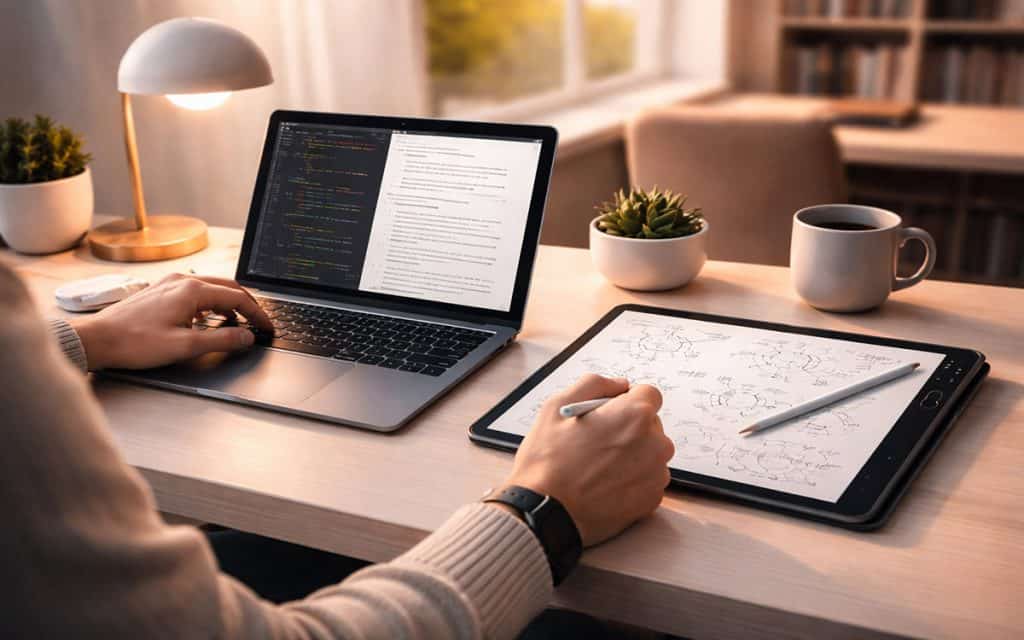
The Evolution of the Student Tech Stack
The “paperless campus” isn’t a futuristic concept anymore; it’s the baseline. Whether you’re at a massive state school or a specialized tech institute, your workflow is likely 100% digital. We’ve moved beyond just “typing essays.” Your device is now a portal for cloud-based collaboration, a canvas for digital ink, and a playback engine for high-res lecture captures. “According to the U.S. Office of Educational Technology, digital tools are no longer optional but essential infrastructure for modern learning.”
The problem? Most tech blogs still treat tablets like toys. They’ll tell you a tablet is for Netflix and a laptop is for “real work.” That’s a lazy take. If you’re a biology major, a tablet with a stylus is infinitely more “productive” for sketching a Krebs cycle than a MacBook will ever be. Conversely, if you’re a journalism student, trying to bang out a 2,000-word feature on a tablet screen might actually be a form of modern torture.
At a Glance: The 2026 Reality Check
Global studies like the OECD Digital Education Outlook highlight how AI and mobile-first devices are reshaping classroom productivity in 2026.
| Feature | Tablet (Pro-Level) | Laptop (Ultrabook) |
| Portability | Effortless (fits in a small tote) | Manageable (requires a backpack) |
| Note-Taking | Elite (Handwriting + Audio Sync) | Average (Typing only) |
| Heavy Writing | Serviceable with a $300 keyboard | Native and superior |
| Multitasking | Stage Manager style (limited) | True windowed freedom |
| Software | App-based (Mobile-first) | Full desktop OS |
| Battery Life | Consistent 10–12 hours | Variable (6–12 hours) |
Why the Tablet is Winning the “Backpack War”
1. The Death of the Spiral Notebook
If your major involves formulas, symbols, or anatomy, the tablet is your best friend. There is a specific kind of cognitive “click” that happens when you write by hand. Apps like Goodnotes or Notability have matured to the point where you can record a lecture while you write; later, you just tap a word in your notes, and the app plays back exactly what the professor was saying at that moment. You can’t do that with a keyboard.
2. The “Weightless” Campus Experience
I’ve seen students lugging around 15-inch gaming laptops that weigh five pounds plus a “brick” of a power adapter. By mid-semester, those laptops stay in the dorm. A tablet (like an iPad Pro or a Surface Pro) weighs about as much as a magazine. If you’re trekking across a massive campus, your lower back will thank you for choosing the lighter option.
3. Reading Without the Eye Strain
Digital textbooks are expensive, but they’re cheaper than the physical versions. Reading a 400-page PDF on a vertical tablet screen feels natural—like holding a book. The ability to flip the screen to portrait mode makes a massive difference for research papers and long-form JSTOR articles.
Where the Laptop Still Reigns Supreme
1. The “Deep Work” Writing Machine
There is a tactile rhythm to a real laptop keyboard that a tablet “folio” can’t replicate. If you are a Humanities, History, or English major, you are going to be living in Google Docs or Microsoft Word. Laptops offer better ergonomics, a larger trackpad, and a screen that doesn’t wobble when you type on your lap in a crowded lecture hall.
2. Software Walls
This is the “dealbreaker” category. If your course syllabus mentions any of the following, buy a laptop:
- Engineering: AutoCAD, SolidWorks, or MATLAB.
- Computer Science: Heavy Docker usage or local IDE environments.
- Finance: Advanced Excel macros (the mobile version of Excel is a shadow of the desktop app).
- Video Production: Managing 100GB of 4K footage is still a nightmare without a traditional file system.
Major-Specific Recommendations
- The STEM Student: You need the stylus for math, but power for labs. A 2-in-1 convertible laptop or a Surface Pro is the only way to get the best of both worlds without carrying two devices.
- The Creative/Design Student: You likely need a high-end laptop for the Adobe Creative Suite, but an iPad is the industry standard for illustration. This is where I recommend the “Hybrid Setup.”
- The Business/Marketing Student: Stick to a laptop. You’ll be doing a lot of spreadsheets and deck building. A MacBook Air or a high-end Dell XPS is the gold standard here.
- The Liberal Arts Student: You could go either way. If you prefer annotating texts and traveling light, a tablet with a decent keyboard cover is more than enough.
The “Golden Mean”: The Hybrid Setup
In 2026, the trend isn’t “Tablet vs. Laptop”—it’s “Both, but Budgeted.” Instead of spending $1,800 on one “beast” of a laptop, many smart students are splitting their budget. They’ll grab a base-model MacBook Air (around $800–$900) for the dorm, and a mid-range tablet (like an iPad Air) for taking to actual classes.
Pro Tip: Use a cloud service like Notion or Obsidian to sync your notes. You can sketch a diagram on your tablet at 10:00 AM, and it will be waiting on your laptop when you start your lab report at night.
The 2026 Student Hardware Shortlist: Quick Picks
If you’ve decided which camp you’re in, here are the three devices currently dominating the campus landscape. These are the “safe bets” that balance price, longevity, and resale value.
1. The Best Tablet for Most: iPad Air (M3 Chip)
The Pro is overkill for 90% of students. The M3 Air handles high-end note-taking and multitasking without the $1,000+ price tag.
- Best for: Biology, Chemistry, and Art majors.
- Pro Tip: Pair it with the Apple Pencil Pro for haptic feedback.
- [Check Price on Amazon]
2. The Gold Standard Laptop: MacBook Air 13″ (M3/M4)
Apple’s silicon has made the Air the undisputed king of college. It is silent, stays cool on your lap, and the battery actually lasts through a 9:00 AM to 5:00 PM schedule.
- Best for: Humanities, Business, and Communications.
- Why it wins: The best trackpad in the business for scrolling through research.
- [Check Price on Amazon]
3. The Powerhouse Hybrid: Microsoft Surface Pro 11
If you refuse to choose, this is the only device that truly does both. It runs full Windows 11, so your specialized lab software will actually work.
- Best for: STEM, Engineering, and Computer Science.
- Why it wins: It’s a full PC that you can rip the keyboard off of to draw.
- [Check Price on Amazon]
Need more options? If you’ve decided a tablet is your path, check out our deep dive into the Best Tablets for Students in 2026 or our specific guide on the Best Tablets for Note-Taking.
Conclusion: Final Verdict on Tablet vs Laptop for College
I’ve seen students buy a high-end tablet thinking they’ll become a digital artist, only to realize they just needed a keyboard for their 20-page thesis. I’ve also seen students buy heavy gaming laptops and regret the shoulder pain by week three.
Buy a Tablet if:
- Your “writing” is mostly handwriting, diagrams, or annotations.
- You prioritize weight and portability above all else.
- You already have a desktop computer at home.
Buy a Laptop if:
- You are a “tab hoarder” who needs 30 Chrome tabs open at once.
- Your major requires specialized software that doesn’t end in “.app”.
- You find yourself writing more than 1,000 words a week.
The best tech is the one that disappears into your workflow. If you’re still undecided, go to a physical store and try typing a full paragraph on a tablet keyboard. If your hands cramp after three sentences, you have your answer.

Hi, I’m Nurul! I love touching the latest gadget, unboxing them, and even smelling them! In this blog, I will share all my experiences. Hope you get the right idea about all kinds of gadgets from this blog.