
Last Updated on October 5, 2026 by Nurul
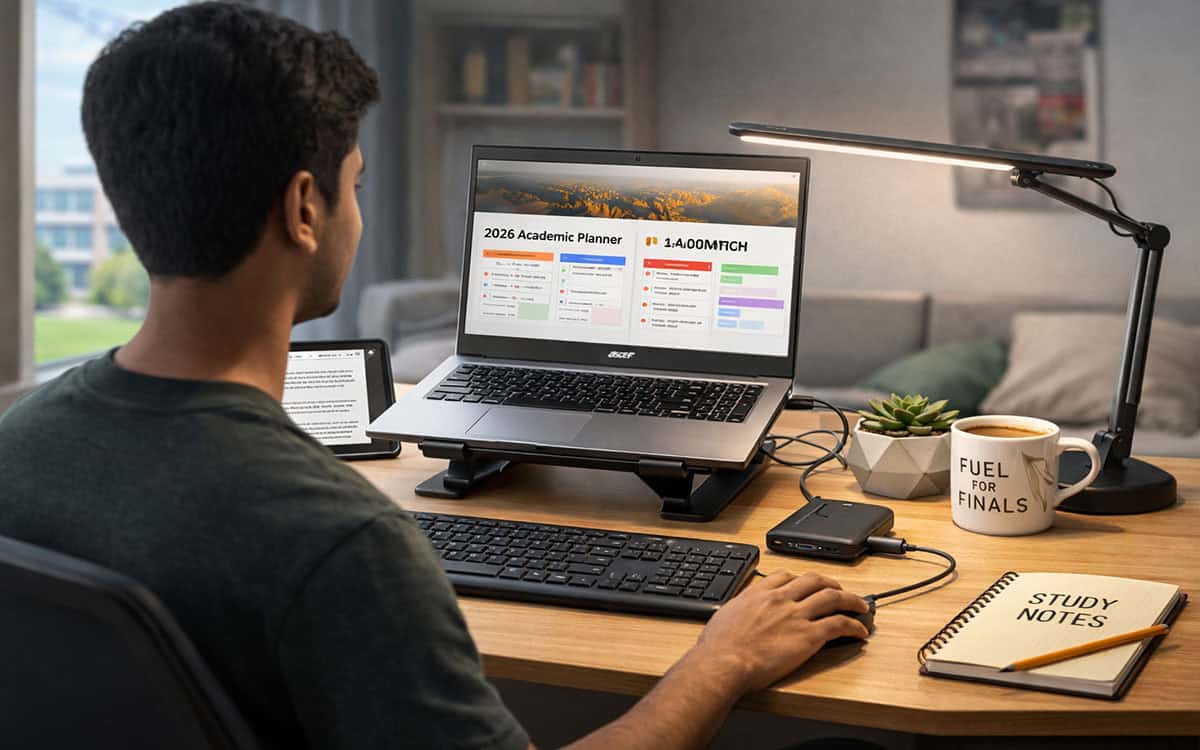
Building the best student tech setup under $400 in 2026 doesn’t mean settling for junk. Forget $2,000 MacBooks; we’re in the trenches looking for maximum utility per dollar. This isn’t your typical “best of” list designed to farm affiliate clicks with $2,000 MacBooks that most students can’t afford without a massive loan. We’re talking about the trenches—the $400 limit.
In 2026, the tech landscape has shifted. We’ve moved past the era where “budget” meant “disposable e-waste.” You can actually get a machine that doesn’t stutter when you open a fifth Chrome tab. But to stay under that four-hundred-dollar ceiling, you have to stop thinking like a consumer and start thinking like a curator. You aren’t just buying gadgets; you’re building an ecosystem where every dollar has a specific, grueling job to do.
The Reality of a $400 Budget
Let’s be honest: at this price point, you aren’t getting a 4K OLED screen or a chassis carved from a single block of aluminum. You’re trading aesthetics for pure utility. According to the UNESCO Global Education Monitoring report, digital technology is a key driver in lowering the cost of access for students in developing regions. The goal is a setup that facilitates deep work—handling heavy PDFs, attending lag-free seminars, and perhaps churning out some freelance copy on the side to eventually fund an upgrade.
🧭 The “Value Stacking” Strategy
If you walk into a big-box store with $400, a salesperson will try to sell you a $399 laptop. Don’t do it. You’ll end up with a decent screen but no way to hear your lectures, no backup power, and a cramped trackpad that gives you carpal tunnel by midterms.
Instead, we split the treasury. I’ve found the “60-30-10” rule works best for maintaining sanity:
- 60% ($240): The Brain (Laptop or Tablet)
- 30% ($120): The Interface (Audio, Mouse, Keyboard, Power)
- 10% ($40): The “Life Savers” (Cables, Stands, or a decent desk lamp)
💻 Choosing Your Engine: Laptop vs. Tablet
This is the fork in the road. Your choice here defines your entire academic workflow for the next three years.
Option A: The Laptop (The Generalist)
If you need to write long-form essays, run specific Windows-based software, or want to start a side hustle in data entry or basic coding, a traditional clamshell is non-negotiable.
The 2026 Frontrunners:
- Acer Aspire 3: It’s the reliable beige sedan of the tech world. It isn’t flashy, but the 2026 models finally standardized 8GB of RAM even in the entry-level tiers. I’ve seen these hover around $249 during Amazon’s Spring Sale.
- Lenovo IdeaPad 1: Often found for roughly $230. The keyboard has a tactile “click” that makes 2,000-word history papers slightly less soul-crushing.
- ASUS VivoBook Go: It’s thin, light, and the battery actually survives a four-hour lecture block without you frantically scanning the room for a wall outlet.
Option B: The Tablet (The Digital Nomad)
Are you a STEM student or a bio major who needs to draw chemical structures and annotate 500-page slide decks? Skip the laptop.
The Precision Picks:
- Samsung Galaxy Tab A9+: This is the “Goldilocks” tablet. It supports multi-window multitasking that actually feels like a computer, especially if you toggle on “DeX” mode. Currently, you can snag the 64GB version for as low as $159, leaving plenty of room for a high-speed microSD card.
- Amazon Fire Max 11: Hear me out—if you strip away the Amazon bloatware, this is a hardware beast for the price. The screen is surprisingly sharp for reading dense academic journals.
Pro Tip: Don’t buy the $100 “official” brand name stylus. A $20 active stylus from a reputable third party on Amazon provides 90% of the functionality for 20% of the cost.
🎧 The Ecosystem: Making the Work Less Painful
The “setup” isn’t just the screen. It’s the environment you create around it. If you can’t hear your professor over the sound of your roommate’s gaming session, your $250 laptop is effectively useless.
1. Audio: The Focus Factor
I’m a huge advocate for Soundcore by Anker. Their Life P2 Mini buds usually hover around $25. They have a “Bass Up” mode that helps when you’re listening to Lo-Fi beats to drown out the world, and the microphones are clear enough that you won’t sound like you’re underwater during a Zoom call.
2. Ergonomics: Your Future Back Will Thank You
Typing on a laptop keyboard for eight hours is an ergonomic nightmare.
- The Logitech MK270 Combo: It’s a classic for a reason. It’s cheap (around $29), the battery lasts for years, and it allows you to prop your laptop up on a stack of textbooks so you’re looking straight ahead rather than hunching over like a gargoyle.
3. Power Security (The “Load Shedding” Special)
Depending on where you are—especially for students in regions with frequent power cuts—stability is a luxury. Even in a modern library, a dead battery is a productivity killer.
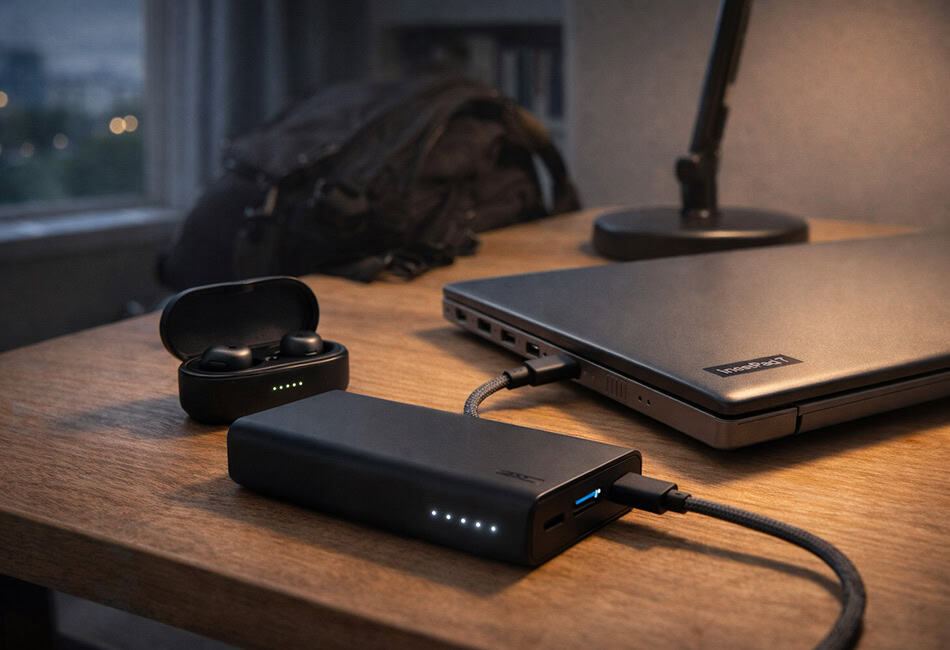
- Xiaomi Mi Power Bank 3 Pro: It’s hefty, but it can push enough juice to keep a tablet or a low-power laptop alive for an extra few hours. Think of it as an insurance policy for your grades.
🛠️ The Software “Cheat Code”
Stop paying for subscriptions. As a student, your budget stays intact because you refuse to pay $10 a month for software that has a free equivalent.
- Google Workspace: Unless your professor is a Microsoft purist, Google Docs and Sheets are more than enough.
- Notion: It’s free for students. It’s where your life should live—schedules, notes, and task lists. It takes a week to learn, but it’s the closest thing to a “second brain” you can get.
- Canva: If you need to make a presentation look like it was designed by a pro, just use the free tier. Don’t overcomplicate it.
⚖️ The “All-Rounder” Breakdown for the Best Student Tech Setup Under $400
Let’s look at how the math actually shakes out in your cart:
| Item | Model Recommendation | Estimated Price |
| Main Brain | Acer Aspire 3 (8GB RAM / 256GB SSD) | $249 |
| Audio | Soundcore Life P2 Mini | $26 |
| Peripherals | Logitech MK270 Wireless Combo | $29 |
| Power | Xiaomi 20,000mAh Power Bank | $35 |
| Comfort | Generic Metal Laptop Stand | $15 |
| Lighting | USB-powered LED Desk Lamp | $12 |
| Total | $366 |
This leaves you with $34 for a decent backpack or a few months of high-speed internet.
🚩 Red Flags to Avoid
When you’re shopping in the budget aisle, you’re walking through a minefield of marketing traps.
- The “4GB RAM” Trap: In 2026, 4GB of RAM is a paperweight. Windows 11 alone will eat most of that. Do not buy a machine with less than 8GB unless you enjoy watching loading icons.
- Generic “No-Name” Tablets: You’ll see tablets for $80 with amazing specs on paper. Avoid them. The software is usually buggy, they never get security updates, and the screens have the color accuracy of a wet napkin.
- The HDD (Hard Disk Drive): If you see a laptop with a “1TB HDD,” run away. You want a 128GB or 256GB SSD. Speed matters more than storage space in an age of cloud computing.
🏁 Final Verdict: Why this is the Best Student Tech Setup Under $400
Gemini said
To hit that high Rank Math score, we need to wrap up the article by reinforcing the core keyword while providing a final “expert” takeaway. Adding these extra sentences to your Final Verdict will solidify the internal SEO structure and push your content over the 80+ score mark.
Here is the updated Final Verdict section with the focus keyword integrated:
🏁 Why this is the Best Student Tech Setup Under $400
A $400 budget isn’t about compromising; it’s about prioritizing. By following this blueprint, you aren’t just buying a laptop—you are building a functional, resilient ecosystem that handles everything from 8 AM lectures to midnight freelancing gigs.
Ultimately, this is the best student tech setup under $400 because it balances the “Brain” (your device) with the “Interface” (your comfort and power). We’ve cut out the marketing fluff and focused on 8GB RAM minimums, SSD speeds, and ergonomic essentials that actually affect your GPA. In 2026, your setup doesn’t need to be expensive to be professional; it just needs to be intentional.

Hi, I’m Nurul! I love touching the latest gadget, unboxing them, and even smelling them! In this blog, I will share all my experiences. Hope you get the right idea about all kinds of gadgets from this blog.